
Create an API Key
Create and save a AnyRouter API Key in the console.
Open the API Keys page
After signing in, open API Keys in the sidebar. A new account usually starts with an empty list. Click New key to create your first API Key.
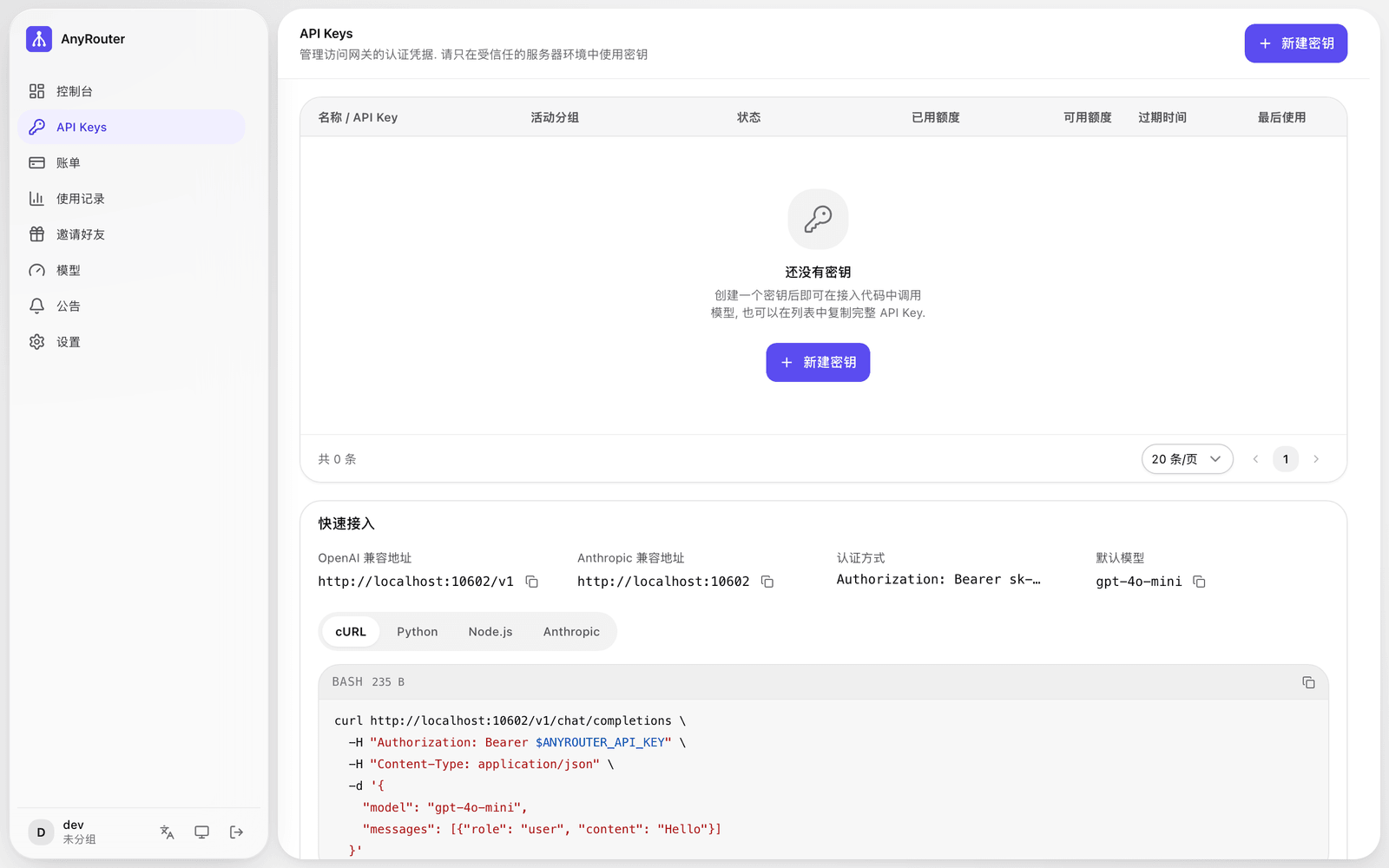 The New key entry on the empty API Keys list
Create a key
In the New key dialog, enter a key name. Use a name that makes the purpose clear, such as Claude Code local dev, Kilo Code testing, or Production server.
Choose an expiration time that fits your security policy. Leave the spending limit empty for no limit, or enter the maximum amount this key may consume.
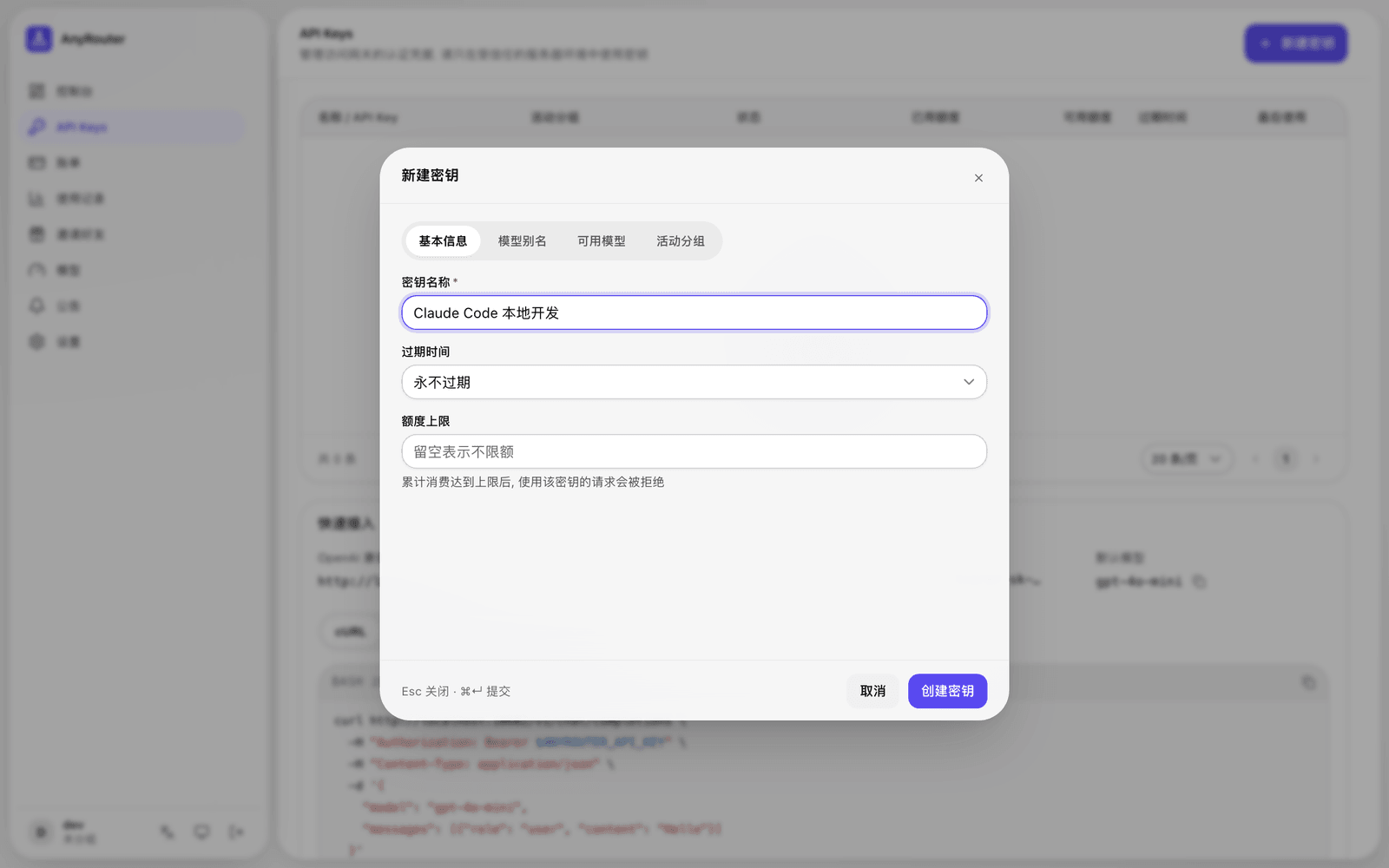 Enter the key name, expiration time, and spending limit
Once everything looks right, click Create key.
Save the full API Key
After the key is created, the platform shows the full API Key. Save it right away in your local password manager, environment variables, or your server's secret management system.
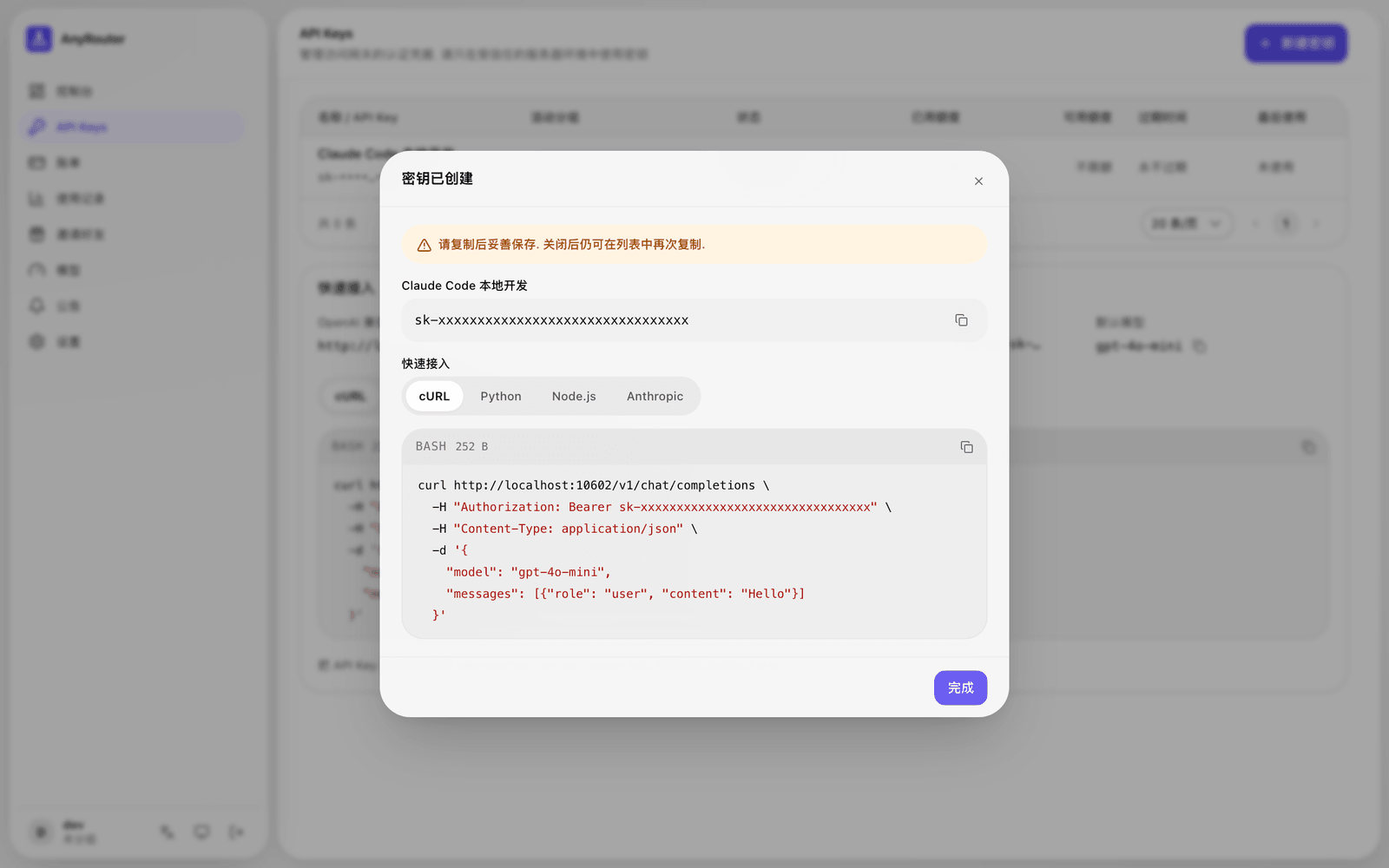 Copy the full API Key after it is created
Do not put API Keys in public repositories, frontend pages, or chat screenshots. When working in a team, create separate keys for different environments so you can disable, rename, and track usage for each one later.